Features · Simple onboarding: Your app, in your brand, in two minutes.

Organisers answer four questions and see their app in their brand. Attendees sign in with a link, no password, and their badge goes in their wallet.

Eight blueprintsBrand from your websiteSet up with AINo passwords
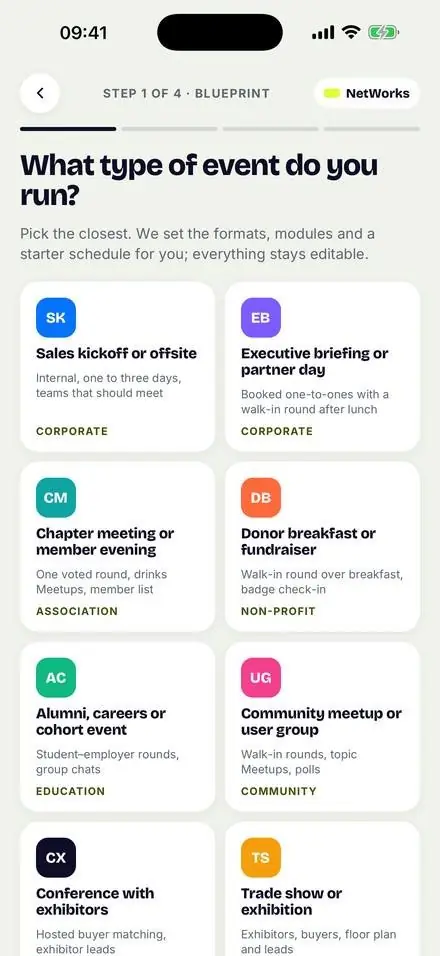
Choosing a blueprint for the event
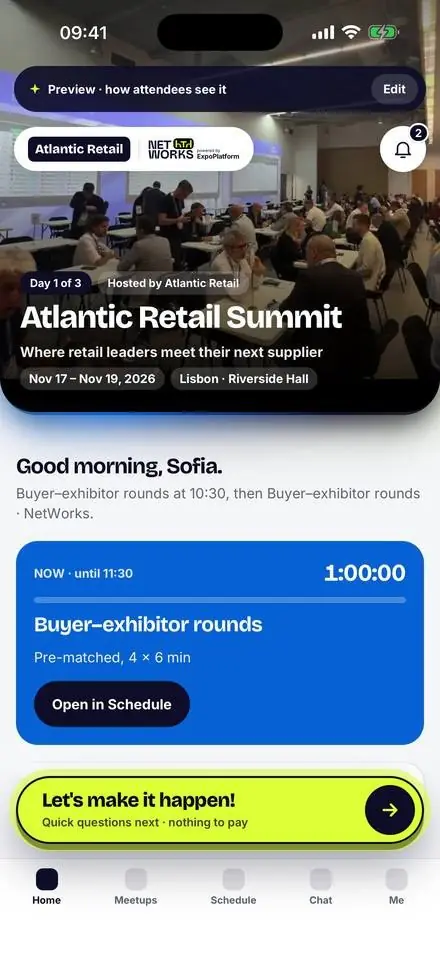
The app preview in the organiser’s brand
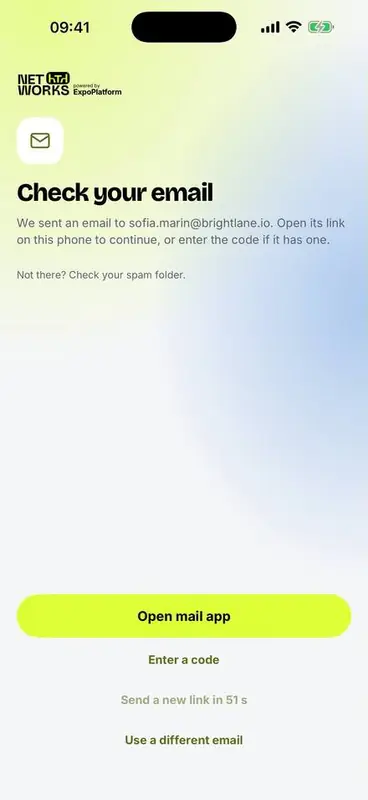
Sign-in by email link, no password
What goes wrong
3 wks

A 200-person conference has no developer, no app budget and three weeks.

What we built

Live the same week.

  • Pick the kind of event you run; formats, modules and a starter schedule are set for you
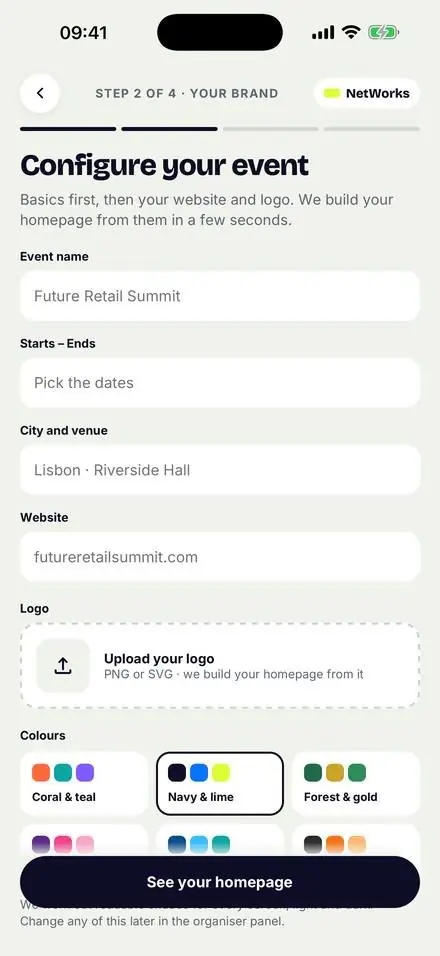
  • Drop in your website: we pull in your logo, colours and an image
  • See the home screen as attendees will, in light and dark
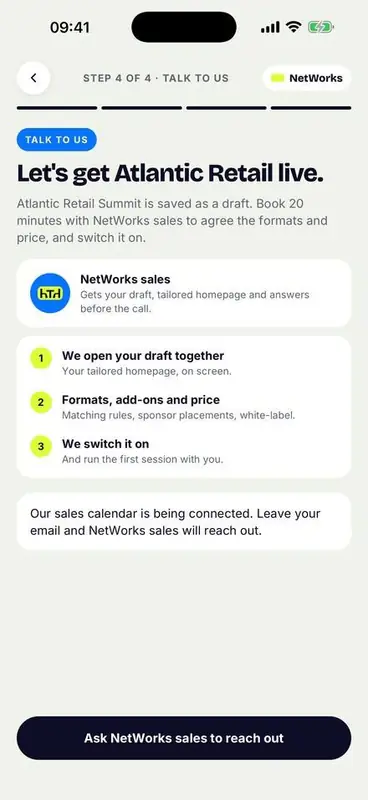
  • Twenty minutes with us to switch it on
Adding the event brand
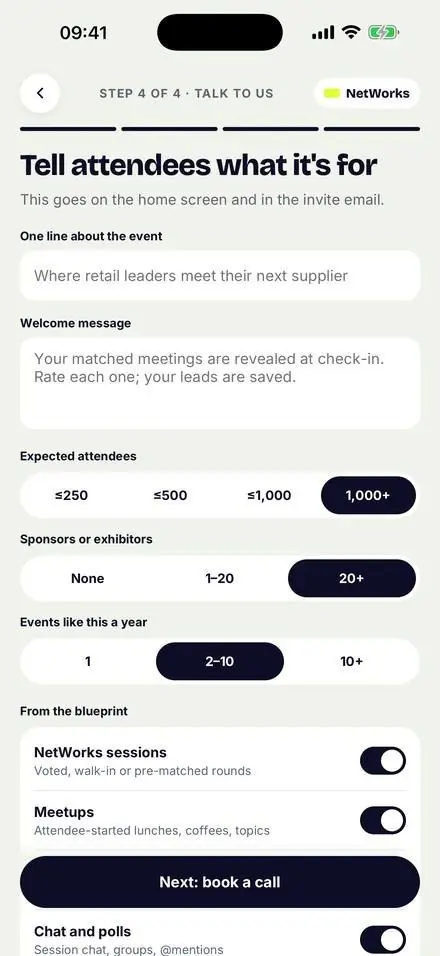
Describing the event and its size
For organisers

Four questions. One live preview.

Choosing a blueprint for the event
01Pick a blueprintSales kickoff to trade show.
Adding the event brand
02Your brandFrom your website, or by hand.
Describing the event and its size
03Tell attendeesOne line, size, sponsors.
The app preview in the organiser’s brand
04See your appAs attendees will see it.
Booking the switch-on call
05Switch it onA booked call; we run the first session with you.
Set up with AI

Tell it about your event. Watch it build.

Paste your website, attach whatever you already have, and answer one question at a time. The plan fills in beside the chat, and nothing is applied until you confirm.

  • Files in any format: PDF, Word, Excel, CSV, pictures
  • Branding, modules, categories, programme and exhibitors from your brief
  • Nobody is emailed without you: it asks, and warns who would get one
I love the NetWorks team, they’re super helpful. They’re the exact partner you want.
Nick Dugdale-Moore Regional Director Europe, UFI
Bring your people

One import. Everyone invited.

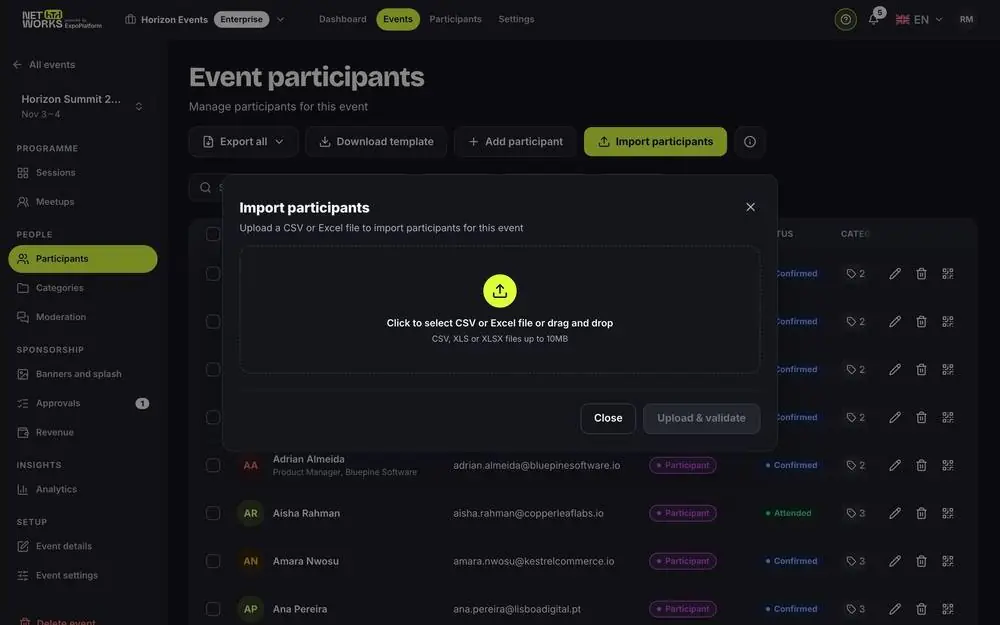
  • CSV, XLS or XLSX up to 10 MB, checked before anything goes live
  • Every person gets a role: five built in, up to fifteen of your own
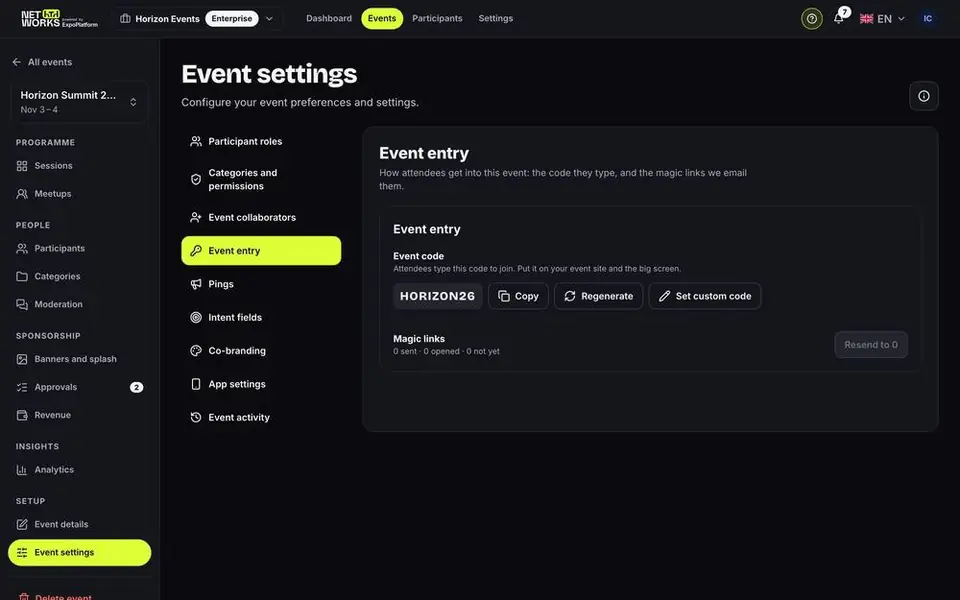
  • Personal sign-in links by email, or an event code to share
  • Optional registration with consents and your approval
Importing participants from a spreadsheet
An event code for sign-in
For attendees

Signed in, profiled, badge in the wallet.

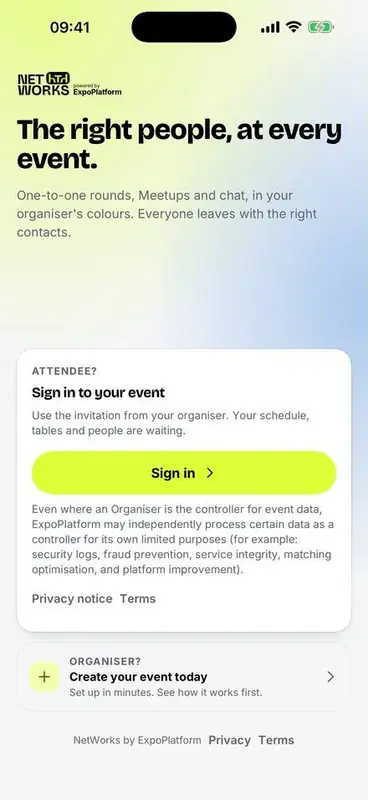
The welcome screen
01WelcomeSign in to the event.
Sign-in by email link, no password
02A link, no passwordOr a six-digit code.
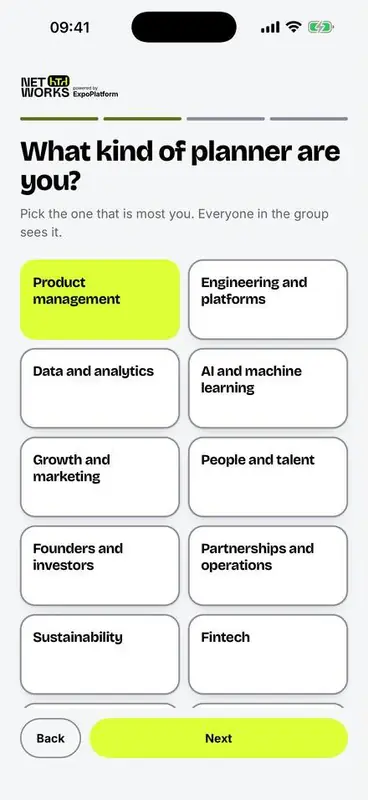
Choosing a category at sign-up
03What they doCategories you set.
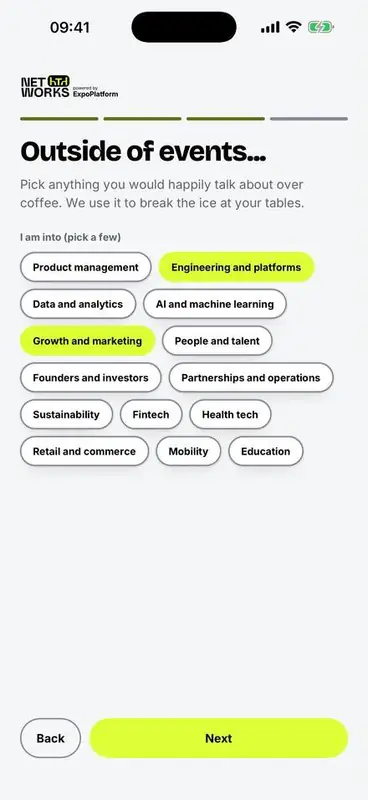
Choosing interests at sign-up
04What interests themBreaks the ice at the table.
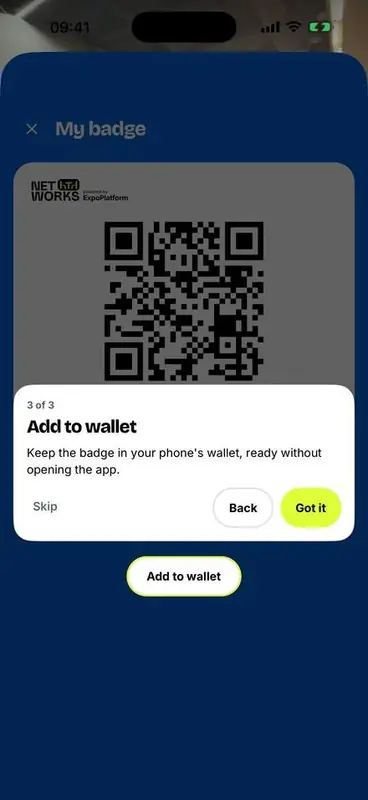
Adding the badge to the wallet
05Badge in the walletApple or Google Wallet.
Get started

Your app awaits.

Four questions, your brand, a live preview. Then twenty minutes with us to switch it on.